"My mind is too crowded with thoughts. It gets difficult to shush my brain."
01 / 03
Making the transition
to sleep better
When I and Ariba started this project a year back, we didn't realize how complex the problem of "sleep" really was. We didn't want to build just another vanity sleep metrics or habit-building app, so we went down this rabbit hole of "sleep onset," - the initial few minutes before falling asleep (NREM/N1) and explored how we could improve that experience for a young adult demographic without medical intervention.
Sleep onset depends on two things: whether the body is following its natural rhythm, and whether the mind has let go of the day. Physical tiredness alone doesn't guarantee it.
A phone checked at the wrong moment, a lit room, thoughts left unresolved, any of these can push sleep back by an hour. For the 18–24 demographic, the problem isn't a lack of sleep advice. It's that nothing fits how their evenings actually work.
Existing sleep apps offer the right techniques: breathing, journaling, meditation. But they deliver them in fixed sequences. The same steps run every night, regardless of how late it is, how tired the user is, or what kind of day they had.
That rigidity is where the friction comes from. Techniques that work in isolation don't automatically work when stacked without context.
The gap wasn't a missing feature. It was the arrangement. Sleep is personal. The time, the environment, the mental state all vary. A routine that adapts to those variables is a different kind of product than one that simply offers more options.
One question at a time: bedtime, wake time, sleep latency, morning restedness, what keeps the user awake, how they prefer to clear their mind, and which devices they want connected. The answers shape the routine directly. Writing preference means journaling is the default; if they think better talking, Luna opens instead. A preview at the end lets them adjust before day one.
One Wind Down button. The primary metric is sleep debt, not a score. Debt is a forward-looking number: what tonight can recover, rather than a verdict on what went wrong.
Lights, sound, temperature, devices: all adjusted in one flow, as part of winding down, rather than across separate apps before bed. Reducing environmental stimulation at the right moment is one of the more reliable non-pharmacological ways to shorten sleep latency.
At the end of the day the mind is still running even when the body is ready to stop. Writing or talking through what's left gives those thoughts somewhere to land. The holding eases once they're out.
Luna's tone selector (Wise, Friendly, Empathetic) lets users pick how they want to be met. The need varies night to night.
Yog Nidra works with the body's drift toward sleep rather than asking for concentration. Standard mindfulness practices can tip into effort or anxiety in a pre-sleep context. Yog Nidra asks for surrender instead.
The Sankalpa, a short personal intention set at the start, anchors the session. The "put your phone aside" prompt draws a line between the active and passive parts of the routine. Auto-pause on movement means a shifted phone doesn't end the session.
The design system is built around what a sleep environment actually feels like. Each decision targets four qualities that make winding down easier.
The colour system is drawn from the tones of a real midnight sky (of course, not literally), keeping the interface calm and unobtrusive rather than artificially contrasted.
It is designed to be both varied and scalable, where a limited set of colours can adapt across different states and use cases without introducing inconsistency. Each colour has a clear role: dark surfaces create depth, while a single accent colour consistently signals interaction and focus. Hierarchy is built through elevation and opacity rather than adding more colours, allowing the interface to communicate states clearly without visual noise, especially in low-light use.
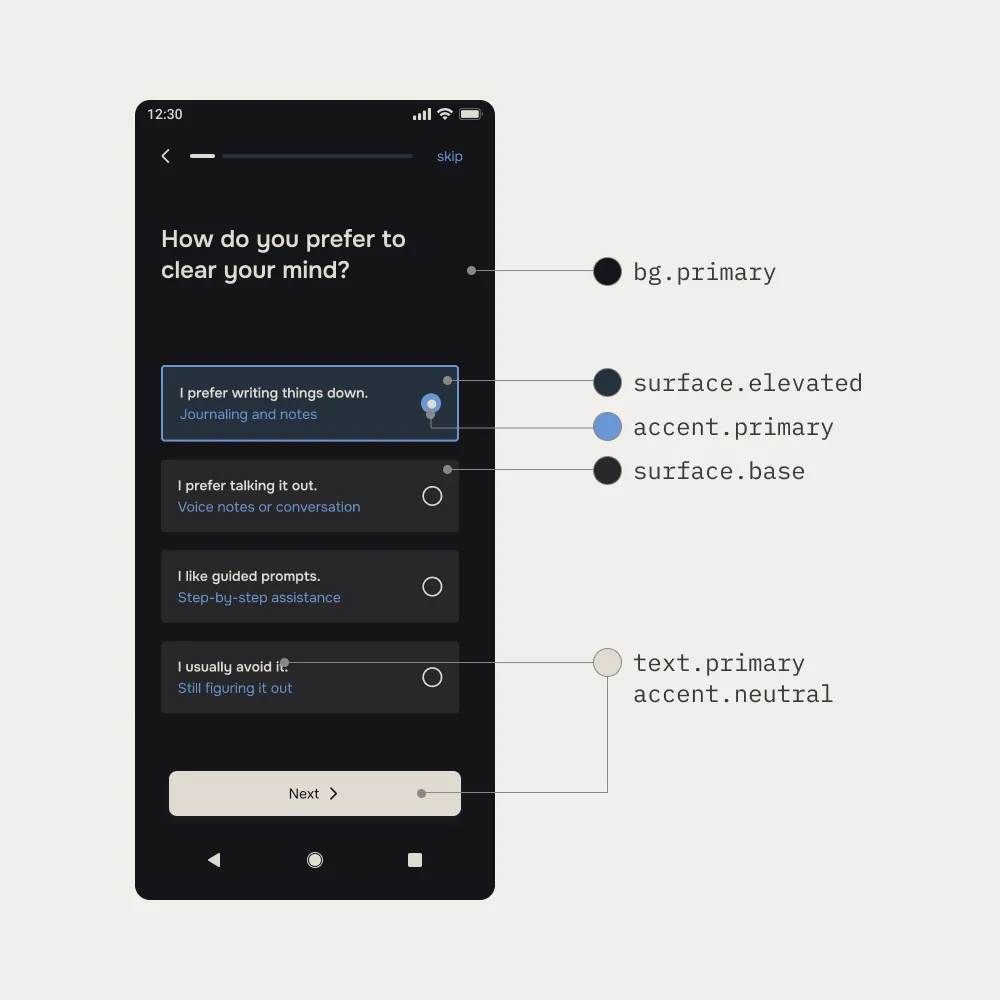
Click here to access the colour token system.
The primary typeface is Onest, designed by Dmitri Voloshin and Andrey Kudryavtsev.
It sits between geometric and humanist: structured enough to feel stable, soft enough to not feel clinical. At night, when attention drops and the eyes are tired, small reading friction compounds fast. Onest keeps that friction low.
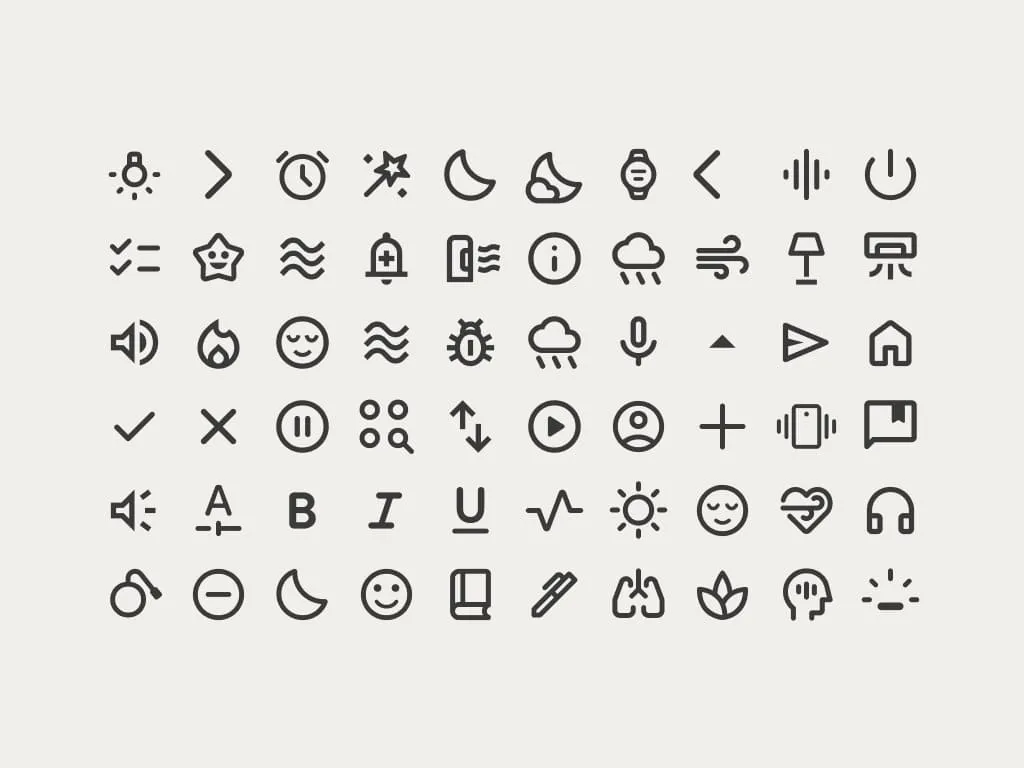
Material Symbols (rounded, 400 weight). Familiar enough that users don't have to pause to interpret them. In a pre-sleep context, recognition needs to be immediate. Any hesitation is a small piece of mental work the user shouldn't have to do.
Some features like box breathing and AI insights weren't feasible to prototype in Figma, so we built a working version using Claude.
Survey of 42 (n=42) respondents, aged 18–24, students and early-career.
Among those taking more than 20 minutes to fall asleep, 45% pointed to mental noise as the main reason: not their environment, not physical discomfort.
"My mind is too crowded with thoughts. It gets difficult to shush my brain."
"I sleep better when I've had my day planned out - worse when I don't have a plan."
"A lot of stuff going on in the back of the mind unconsciously."
| Finding | Design implication |
|---|---|
| Mind is the primary sleep blocker, not body | Mental offloading comes before meditation in the sequence |
| 45% described their bedroom as not quiet or peaceful | Environment setup is a core routine step, not a buried settings screen |
| 68% sleep past midnight; bedtimes vary night to night | The routine adjusts to what time it actually is, not a fixed start |
| Average sleep satisfaction 5.9/10; 41% scored 5 or below | Real unmet need in this age group, not a niche edge case |
When I go to bed, I want sleep to happen naturally, not after 40 minutes of thinking.
I want to easily manage lights, sound, temperature, and devices so my room supports sleep.
I don't want to decide what to do each night. I want a clear, step-by-step flow.
Let me understand patterns like sleep debt, timing, and consistency without overwhelming charts.
Tailor the flow depending on how late it is, how I've been sleeping, and how I've been using the app.
Swipe left or right on the active card.
The routine is the product. Settings, history, and data sit outside it, accessible, but not in the way.
| Flow | Purpose |
|---|---|
| Adaptive Onboarding | One question at a time. Learns the user's rhythm, what keeps them awake, how they offload. Connects bedroom devices. Ends with a routine preview they can adjust before day one. |
| Homepage | One Wind Down button. Shows sleep debt from last night and what tonight can recover, not a score, just a direction. |
| Night Prep | Lights, sound, temperature, devices, alarm: one flow, as part of winding down. The room is part of the routine. |
| Declutter Mind | Write or talk through whatever's still running. Gets it out of the mind's queue. |
| Guided Breathing | 4-7-8 technique. Bridges the shift from mental offloading to physical calm. |
| Guided Meditation | Yog Nidra with a personal Sankalpa. Phone-aside prompt. Auto-pause on movement. |
Real use doesn't follow a clean path. Some of these are already handled; others are planned for when the product is more established.
| Scenario | Consideration | Design response |
|---|---|---|
| User starts late, midnight or after | A full routine at this hour pushes sleep further out | The routine compresses adaptively. Breathing and Night Prep shorten; Declutter Mind becomes a single focused prompt instead of an open session |
| User skips Declutter Mind | Meditation tends to land worse when the mind hasn't offloaded yet | A quiet check-in before Guided Breathing: "Anything still on your mind?" One tap to continue if they're ready |
| Luna conversation runs long | An open-ended chat can extend stimulation instead of winding it down | A 10-minute soft close. Anything unsaved goes to the journal automatically |
| Phone moved during meditation | A hard stop would break the settling | Auto-pause, not end. A visual nudge only, no sound. The resume prompt waits 5 seconds before appearing |
| Smart devices not connected | Night Prep has nothing to control | Planned: the flow becomes a manual checklist: lights, sound, temperature as reminders rather than controls |
| Routine ends but sleep doesn't come | Re-entering the full routine can create pressure rather than ease it | Planned: a single option to return to the breathing exercise only, keeping everything else closed |
| First-time user skips onboarding | The routine runs on defaults with no personalisation | Default routine launches immediately. A "Personalise your routine" prompt surfaces gently over the first three days |
| User reopens app mid-routine | The session state needs to be recoverable | Planned: state is held for 30 minutes. A resume prompt appears on re-open; after 30 minutes the session closes quietly |